

Blog
How to Choose the Best Smart Whiteboard for Your Business?
Choosing the best Smart Whiteboard is not simply a matter of screen size, brand reputation, or a glossy product demo. It is a practical decision about collaboration, accessibility, security, and long-term value. A board may look impressive in a showroom, yet feel slow in a crowded meeting room. That difference matters.
Industry forecasts show continued demand for interactive display technology. MarketsandMarkets projects the interactive display market will grow from approximately USD 13.9 billion in 2023 to USD 19.9 billion by 2028. However, market definitions vary. Some reports include interactive kiosks, while others focus on education and business displays. Grand View Research also identifies software integration and cloud collaboration as important growth factors. These figures provide direction, not a buying answer.
Learning-science expert Dr. Richard E. Mayer offers a useful principle: “People learn better from words and pictures than from words alone.” A Smart Whiteboard should therefore make ideas clearer, not merely add more visual effects. Look for responsive writing, natural annotation, reliable screen sharing, and simple file export. Test these features with real users. Include a presenter, a remote participant, and someone standing at the back of the room.
Do not ignore the unglamorous details. Check installation height, glare, microphone quality, operating-system support, update policies, and warranty terms. Total ownership cost can exceed the purchase price. Our judgment may still be imperfect, especially because vendor claims are not always comparable. The strongest choice is the model that fits your workflow, protects your data, and remains useful after the initial excitement fades.
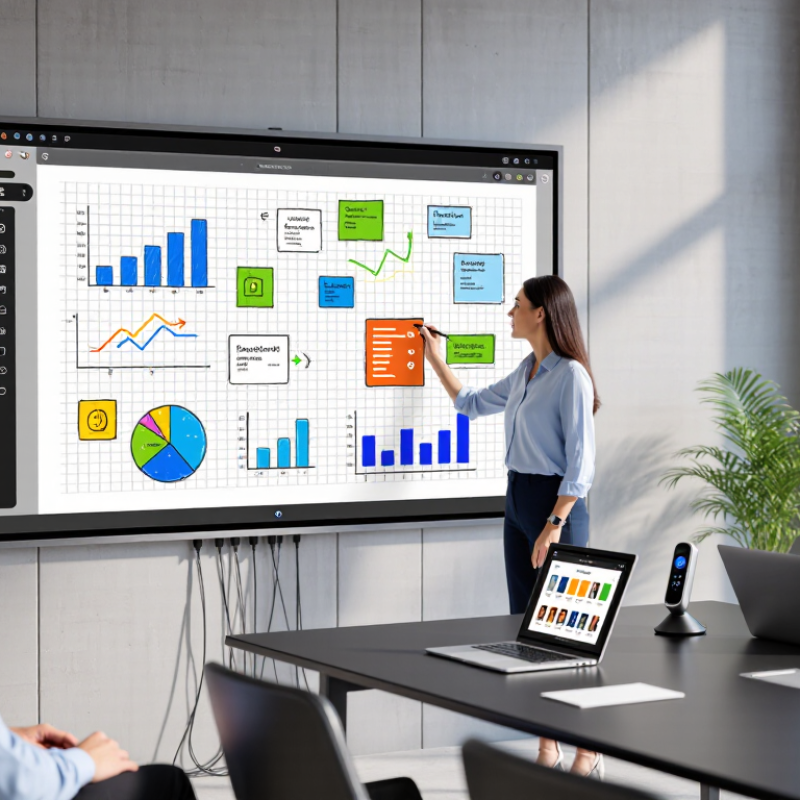
Define Business Needs by Room Size, Users, BYOD Devices, and Collaboration Goals
How to Choose the Best Smart Whiteboard for Your Business?
Room size should guide screen dimensions, viewing distance, and mounting height. In a small meeting room, an oversized display can overwhelm the table. In a training room, a compact screen may leave remote participants squinting. Measure the farthest seat and test readability with normal lighting. A mobile stand can help teams share one device between rooms, but moving it requires clear pathways and safe cable management.
User numbers matter as much as room dimensions. A ten-person team may need smooth multi-touch writing, while larger groups need split-screen tools and visible cursors. Check whether the whiteboard supports the devices employees already use, including laptops, tablets, and wireless conferencing systems. Compatibility sounds simple. It often is not. Confirm operating systems, connection methods, guest access, and data controls before buying. Trial sessions reveal problems that product sheets miss.
Tips: Invite real users to test a typical meeting. Ask them to connect devices, annotate a document, save the board, and rejoin remotely. Record delays, glare, accidental touches, and unclear menus. Compare these observations with your collaboration goals, such as brainstorming, teaching, or project reviews. Do not ignore accessibility, software updates, warranty terms, or staff training. A technically powerful board may still fail if employees avoid using it. That is a useful warning, not a minor detail.
Set a Performance Baseline: 4K Resolution, 20-Point Touch, and 60Hz
How to Choose the Best Smart Whiteboard for Your Business?
Set a Performance Baseline: 4K Resolution, 20-Point Touch, and 60Hz
A reliable smart whiteboard should meet a clear performance baseline before extra features enter the discussion. Start with 4K resolution. It keeps small spreadsheet figures, product diagrams, and handwritten notes sharp across a meeting room. At three meters, thin gray lines should remain visible without forcing people forward.
Touch performance matters just as much. A 20-point touch system allows several participants to write, move objects, or annotate together. During a workshop, this can prevent awkward pauses when two users reach for the same digital canvas. Test it with different pen speeds and hand sizes. Specifications alone can be misleading.
Refresh rate is the third checkpoint. A 60Hz display usually provides smooth writing and natural cursor movement. Watch for broken strokes or delayed ink during a live demonstration. I have seen impressive screens struggle when many objects moved at once. That experience changed my testing method. I now open a large presentation, draw quickly, and invite several users to interact simultaneously.
Room conditions also deserve attention. Bright windows can reveal glare that product sheets rarely mention. Check viewing angles, speaker volume, operating-system compatibility, and screen response after an hour of use. A short trial is useful. A full workday is more honest. Performance should feel dependable when the room becomes crowded, noisy, and slightly uncoordinated.
Compare Five-Year TCO, Warranty Terms, Energy Use, and Service SLAs
How to Choose the Best Smart Whiteboard for Your Business?
A smart whiteboard should be evaluated beyond its purchase price. Build a five-year total cost of ownership model before approving the budget. Include the display, mounting, installation, software access, training, repairs, and eventual replacement. A low-cost unit may require expensive accessories or frequent technician visits. Ask for itemized pricing, not a polished estimate.
Energy use deserves a practical test. Request rated power consumption and typical operating data. Then estimate daily usage across meeting rooms, classrooms, or training spaces. A board running eight hours daily can add noticeable electricity costs over five years. Sleep settings help, but confirm whether they work reliably. Small details matter. Measure actual consumption during a normal week when possible.
Warranty language can hide operational risks. Check coverage periods, excluded parts, labor charges, and repair shipping responsibilities. More importantly, examine the service-level agreement. It should state response times, remote diagnosis targets, onsite support windows, and escalation procedures. A 24-hour response does not always mean a 24-hour repair. Ask what happens when parts are unavailable. My own cost forecasts have been wrong when downtime was treated as zero. A better model assigns a realistic business cost to every lost meeting hour. Some assumptions will still be imperfect, especially for energy prices and usage patterns. Record them clearly, and review them before signing.
How to Choose the Best Smart Whiteboard for Your Business? - Compare Five-Year TCO, Warranty Terms, Energy Use, and Service SLAs
| Anonymous Option | Screen Size | Purchase Price | Installation & Accessories | Typical Power Draw | Annual Energy Cost | Five-Year Energy Cost | Warranty Terms | Service SLA | Estimated Five-Year Service Reserve | Five-Year TCO |
|---|---|---|---|---|---|---|---|---|---|---|
| Option A | 65 in | $3,200 | $700 | 220 W | $92 | $462 | 3 years parts and labor; advance replacement during the first year | Remote response within 1 business day; on-site target within 3 business days | $600 | $4,962 |
| Option B | 75 in | $4,200 | $850 | 300 W | $126 | $630 | 3 years parts and labor; optional extension to 5 years | Remote response within 1 business day; on-site target within 5 business days | $750 | $6,430 |
| Option C | 86 in | $5,600 | $1,000 | 400 W | $168 | $840 | 3 years parts and labor; display panel covered for 2 years | Remote response within 2 business days; on-site target within 5 business days | $950 | $8,390 |
| Option D | 75 in | $4,700 | $775 | 250 W | $105 | $525 | 5 years parts and labor; advance replacement subject to stock availability | Remote response within 4 business hours; on-site target within 2 business days | $500 | $6,500 |
| Option E | 86 in | $6,100 | $1,100 | 500 W | $210 | $1,050 | 5 years parts and labor; telephone support included | Remote response within 1 business day; on-site target within 3 business days | $1,200 | $9,450 |
| Calculation assumptions Five-year TCO = purchase price + installation and essential accessories + five-year energy cost + estimated service reserve. Energy costs use 250 operating days per year, 8 operating hours per day, an electricity rate of $0.15 per kWh, and the stated typical power draw. Prices are normalized U.S. procurement estimates in USD before tax; actual quotations, local electricity rates, installation requirements, warranty exclusions, and SLA coverage should be confirmed in the final contract. | ||||||||||
Verify Microsoft Teams, Zoom, MDM, WPA3, and TLS 1.2 Compatibility
Choosing the best smart whiteboard for your business requires more than checking screen size and camera quality. Verify whether it works with your organization’s meeting platforms. Test joining a call, sharing the whiteboard, switching presenters, and saving annotations. Do this with real user accounts, not only a showroom demonstration. In busy rooms, microphones may capture air-conditioning noise. Touch response may also weaken near screen edges. Small failures matter.
Security checks deserve equal attention. Confirm that the device supports centralized MDM enrollment, remote configuration, application control, and secure wipe functions. Review WPA3 support for wireless connections, especially in shared offices and training rooms. TLS 1.2 compatibility is essential for protected cloud communication, but newer encryption options are preferable when available. Ask for firmware support periods, vulnerability notifications, and clear update procedures. Keep records of test results and certificate behavior.
A specification sheet can still mislead. Test after a full day of use. Check whether the board reconnects after a network interruption and whether settings remain locked. One overlooked permission can expose meeting data. That sounds obvious. It is often missed. Also examine accessibility, login speed, and guest participation. A device that passes technical tests but frustrates teachers, managers, or visitors may create hidden costs. Recheck compatibility after major software updates. Fresh testing is inconvenient, yet it prevents expensive surprises.
Smart Whiteboard Compatibility Verification Checklist
Recommended acceptance-test coverage for evaluating collaboration, management, wireless, and security capabilities.
The checklist covers essential verification areas: real-time meeting interoperability, centralized device management, WPA3 wireless security, and TLS 1.2 or newer encrypted connections. A higher value indicates more individual acceptance checks to complete before deployment.
Score Vendors with AVIXA Metrics for Usability, Reliability, and ROI
Choosing a smart whiteboard should feel like an audit, not a showroom tour. Use AVIXA metrics to score usability, reliability, and return on investment. AVIXA’s 2024 Industry Outlook and Trends Analysis forecasts the professional audiovisual market will reach about $332.8 billion by 2028. That growth raises expectations for measurable workplace value.
Test usability with real users, not only technical staff. Record setup time, task completion time, handwriting accuracy, and training hours. A useful target might be a five-minute setup and fewer than two support requests per month. Keep the test practical. Ask a meeting leader to annotate, share content, and recover from a failed connection. If the process feels awkward, the score should show it.
Reliability needs harder evidence. Request service records, failure rates, recovery time, and warranty response commitments. AVIXA guidance on performance planning supports measurable requirements, but vendors may report reliability differently. Compare identical test periods. ROI should include installation, software, training, energy use, and support labor. Divide total annual savings by total ownership cost. For example, saving 12 meeting hours monthly may justify the purchase, but only if those hours create billable or operational value. A polished interface can still produce weak returns. That is an uncomfortable finding, but useful. Recheck the score after 90 days.

